

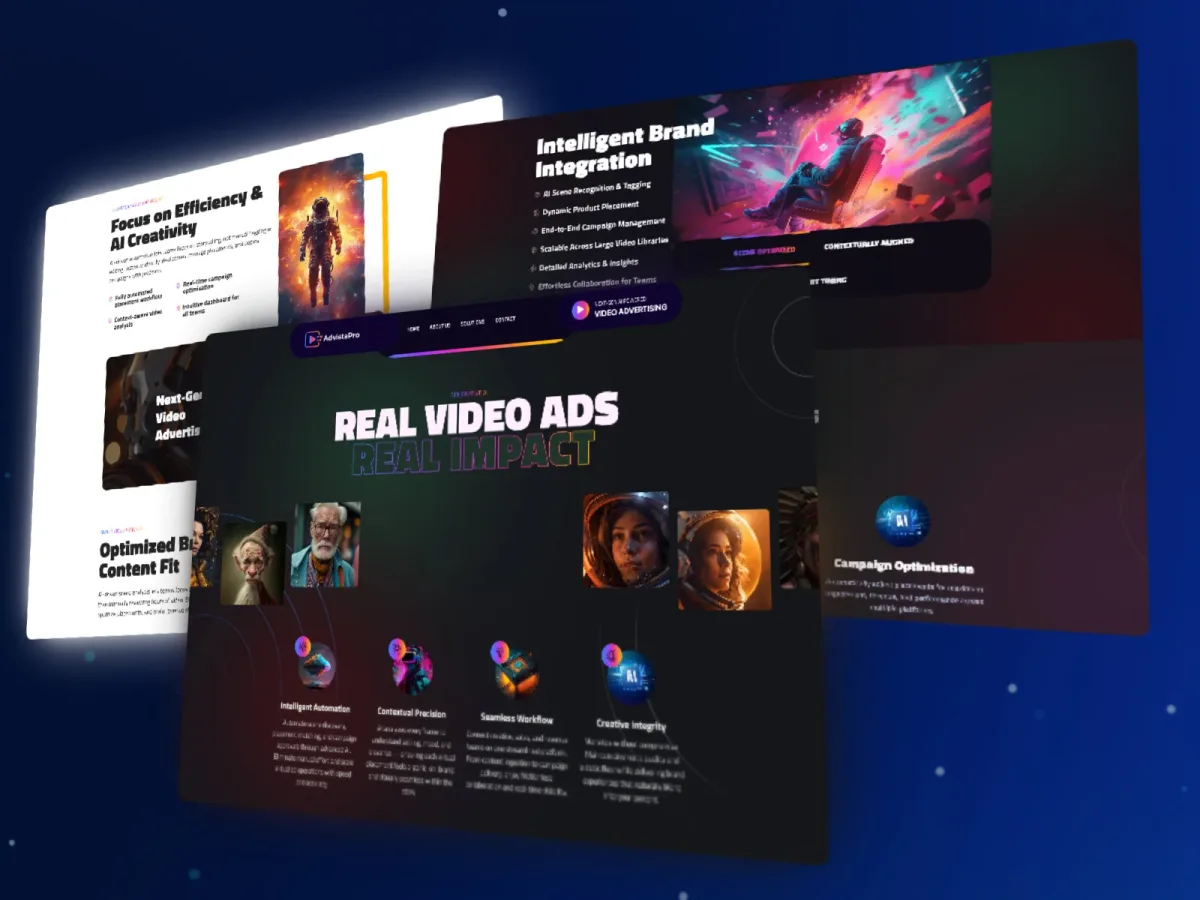
Adding a logo to a video is straightforward when it stays fixed in a corner. Placing branding within a moving scene presents a different engineering problem: the asset must follow the intended surface, respond to changes in perspective and remain visually consistent as the footage progresses.
Advista Pro addresses this problem through AI-assisted video branding. Xtreme Systems Solutions developed the web platform and processing workflow to combine computer vision with placement controls, previewing and video export.
The project illustrates an important consideration for businesses commissioning AI media software: the model’s output is only one part of the product. Users also need a practical way to configure an operation, inspect the result and obtain a usable deliverable.
The business problem: moving beyond fixed overlays
Video teams can use conventional editing tools to position branding, track movement and adjust individual scenes. However, repeating that work across footage and campaign variations creates a substantial production task.
Advista Pro’s objective was to support branding that follows the video environment rather than remaining a flat overlay on the screen.
That requires several connected decisions. Where should the asset appear? Which object or surface should it follow? How should its size and perspective change? What happens when movement or visual conditions make a placement unsuitable?
These questions shaped both the computer vision work and the application around it. Automated processing needed to be paired with controls that let users define and review the intended placement.
Combining scene analysis with placement controls
The platform’s capabilities include surface and object detection, tracking, and product or logo placement. Placement adjustments cover scale, perspective, opacity, lighting and shadow.
These capabilities address different parts of the visual task. Detection identifies candidate regions; tracking follows movement; placement processing adjusts how the asset appears within the scene.
Their effectiveness must be judged on representative footage. Camera movement, occlusion, motion blur and changes in lighting can make a placement more difficult. A result that looks convincing in one frame may still need adjustment when viewed across the full clip.
For buyers evaluating similar software, this means agreeing on test material early. The acceptance criteria should describe the kinds of footage the product is expected to handle and how reviewers will judge placement quality.
Giving production teams control
Advista Pro includes region targeting and a branding preview interface. These features connect the underlying processing to the user’s production decisions.
A useful preview allows a reviewer to inspect the placement in context before accepting an export. Region targeting helps express where branding is intended to appear.
This matters because successful automation does not require every creative decision to be delegated to a model. A practical product can automate repetitive processing while keeping selection and approval with the production team.
The appropriate balance depends on the workflow. Some uses may tolerate a quick approximation; customer-facing campaign material may require closer visual review. Those expectations should be established during discovery rather than left to interpretation after implementation.
Engineering the processing workflow
The implementation combines web application development with video-processing services. Its technology stack includes Python, TypeScript, Flask, Next.js and Laravel, with supporting technologies including MariaDB, Firebase, Cloudflare and AWS.
REST APIs, rendering queues, storage and export processing connect the application to the media pipeline.
For businesses planning comparable products, the architectural lesson is to treat media processing as an operational workflow. Uploading a file, requesting a render, tracking progress and retrieving an export are distinct steps with different failure conditions.
A production design should make those states understandable to users. It should also define how failed work is diagnosed and which operations can be retried safely. These are implementation requirements to establish for the intended workload, rather than assumptions that follow automatically from using cloud infrastructure.
What buyers should define before commissioning a similar platform
The first scoping conversation should focus on the footage, the placement task and the review process.
Input footage: Supported formats, clip lengths, resolutions and representative scene conditions
Placement behavior: Target surfaces, movement, perspective and expected treatment of occlusion
User control: What users select, preview, adjust and approve
Output requirements: Export format, resolution and acceptable visual quality
Processing expectations: Target turnaround, expected volume and infrastructure budget
Exception handling: What happens when detection, tracking or rendering cannot produce an acceptable result
This provides a stronger basis for estimating delivery than a broad request to “add AI branding.”
A focused initial scope might cover one placement type and a defined set of video conditions. Testing that scope can reveal whether the main challenge lies in detection, tracking, compositing or the production interface before the product expands.
The practical lesson from Advista Pro
Advista Pro brings together computer vision and application engineering around a specific production task. Its value proposition is the ability to support brand placement through a connected workflow, with controls for targeting, previewing and exporting the result.
The broader lesson applies to other AI media products: useful model behavior needs to be connected to usable software. Input handling, review controls and processing operations deserve the same attention as the AI component itself.
For organizations considering automated video branding, Xtreme Systems Solutions can help assess representative footage, define placement requirements and scope a pilot. That engagement can establish the technical uncertainties, review criteria and delivery boundaries before committing to a wider platform build.
Practical takeaways
- Define the intended placement behavior using representative video, rather than relying on a single demonstration.
- Combine detection and tracking with controls for selection and visual review.
- Specify the processing and export workflow alongside the AI features.
- Agree on quality, turnaround and exception handling before expanding the scope.